
In order to lock a row/field in the editable grid you should follow the below steps:
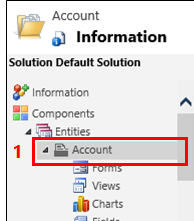
1. Open solution explorer.
2. In the entity list, open the appropriate entity, select the Events tab.
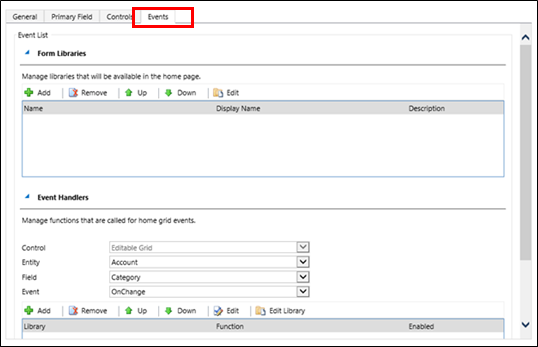
3. Add the JavaScript library in Form Libraries section.
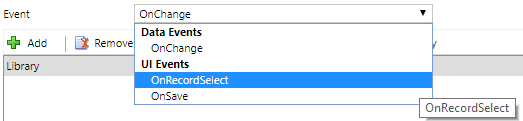
4. In the Event Handlers section, select OnRecordSelect option in Event field.
5. Add the function disableEditableGridRow.
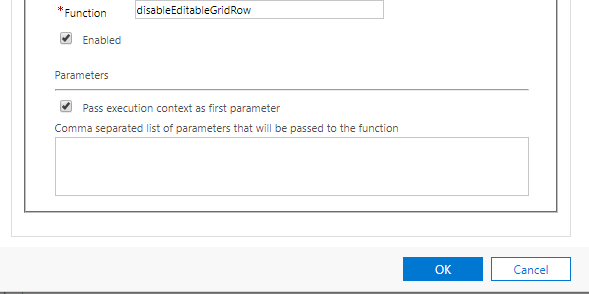
6. The disableEditableGridRow code:
function disableEditableGridRow(context){
    var currentRow = context.getFormContext().data.entity;
    currentRow.attributes.forEach(function (attribute, i) {
        //add your custom conditions here
        var attributeToDisable = attribute.controls.get(0);
        attributeToDisable.setDisabled(true);
    });
}
You can add your custom conditions if you want to lock a specific fields in the row.
New Comment